
Deleting Users
User Management and actions like Deleting Users are only available to Admin usersIf you require access to User Management, please contact your Admin user. If you are unsure who your Admin user is, please contact our Client Services team via [email protected].
Deleting users which are no longer required can be managed from the User Management section in the Deko Dashboard.
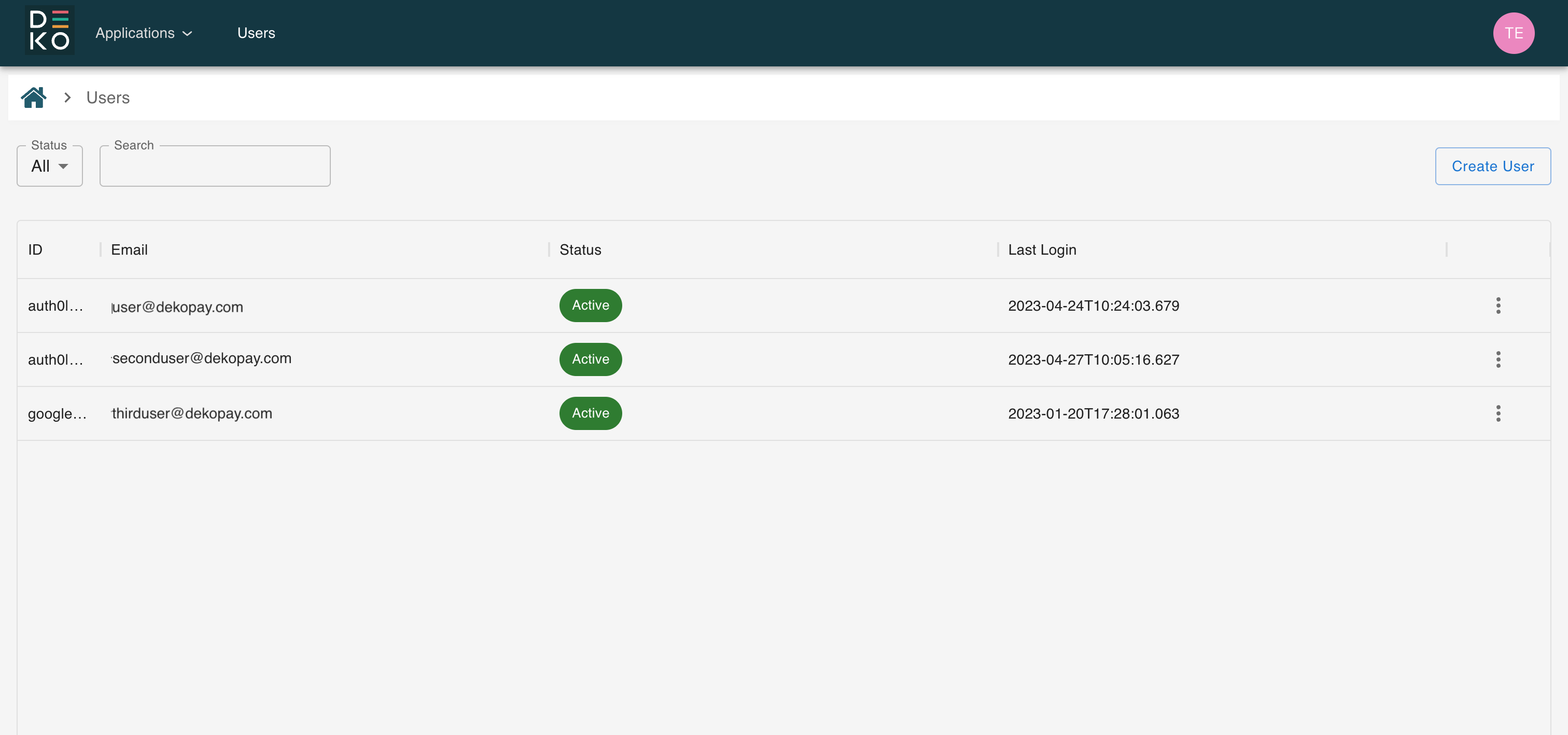
To delete a user, you will need to first select the user you would like to delete from the user management section.
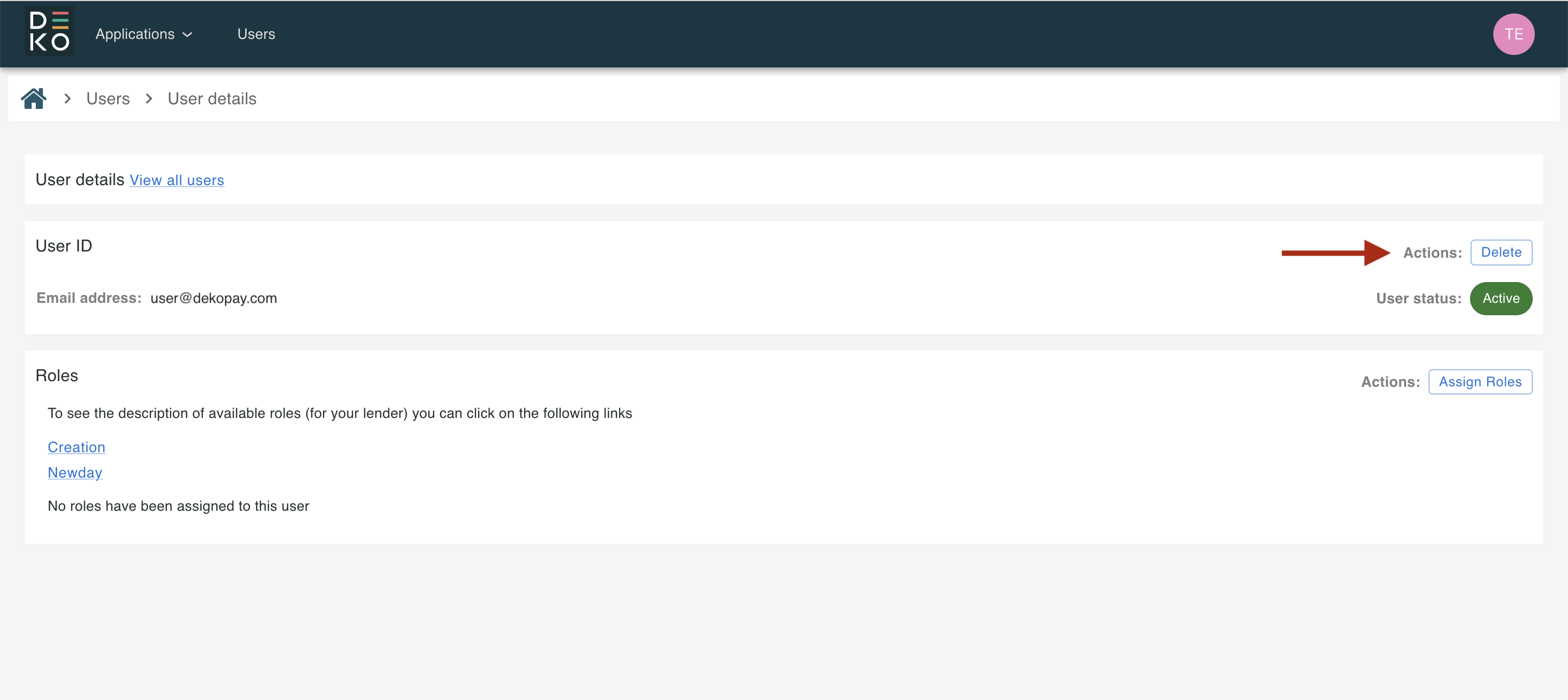
Once on the manage user screen for that user, you can click the action button to delete that user.
When the delete user action has been selected, a pop-up will appear asking to confirm the deletion of that user.
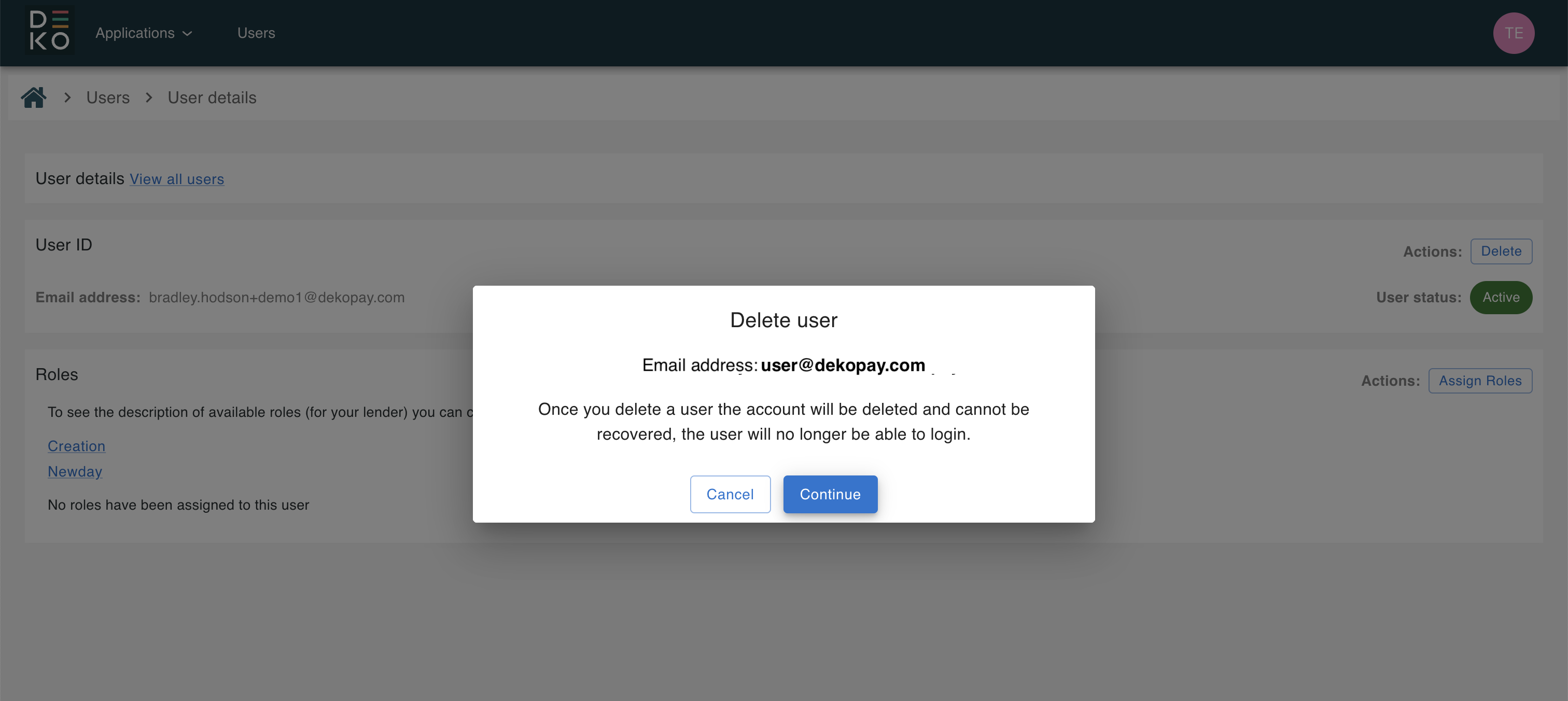
Provided you confirm, then that user will be deleted from your account and organisation on the Deko Dashboard. They will no longer be displayed in the user management section.
Updated over 1 year ago